| Author |
Simply Clever&MHQ Camdrivers for K550i/W610i (update 09.19.08)) |
phekwei
Joined: Jan 31, 2008
Posts: 8
PM |
so is there any improvement which can be made ?
such as wat kind of mode should i use in my normal lighting room or at outdoor during afternoon ? |
|
|
fisherman10
Joined: Nov 06, 2007
Posts: 47
PM |
for MHQ2.37, when u start camera, increase the exposure to +2.0.
that will use the MHQ auto ISO. then it'll be bright.
K550@W610
My own acoustic mix
Sonarik's MHQ ,Antik & Sadeghi Cam Driver
www.rfkw.blogspot.com |
rave06
Joined: Dec 23, 2007
Posts: 18
PM |
1.37
here is my result whit maximum iso 1.7
macro+flash
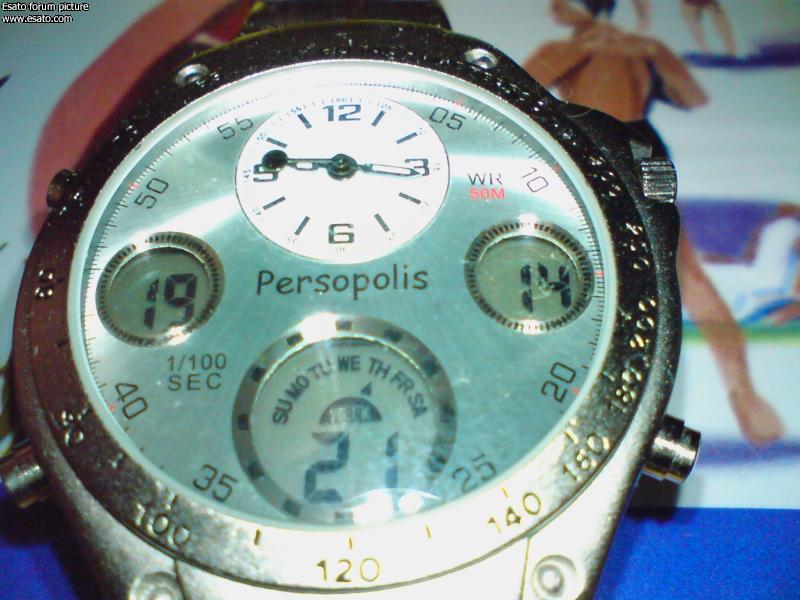
idea fpr 38
normal mode 90 not 85
auto mode -> auto iso
thx
[ This Message was edited by: rave06 on 2008-01-31 20:35 ] |
phekwei
Joined: Jan 31, 2008
Posts: 8
PM |
On 2008-01-31 17:39:37, fisherman10 wrote:
for MHQ2.37, when u start camera, increase the exposure to +2.0.
that will use the MHQ auto ISO. then it'll be bright.
i tot that will make the picture very blur ?
as sonarikk510 said...ISO higher than 250 will be blur ?
confused now...wat does ISO stands for actually ? sry i'm really newbie at this kind of thing |
sadeghi85
Joined: Oct 13, 2007
Posts: 341
PM |
Read this thread to the end, you'll learn something.
|
fisherman10
Joined: Nov 06, 2007
Posts: 47
PM |
On 2008-02-01 04:19:44, phekwei wrote:
On 2008-01-31 17:39:37, fisherman10 wrote:
for MHQ2.37, when u start camera, increase the exposure to +2.0.
that will use the MHQ auto ISO. then it'll be bright.
i tot that will make the picture very blur ?
as sonarikk510 said...ISO higher than 250 will be blur ?
confused now...wat does ISO stands for actually ? sry i'm really newbie at this kind of thing
dun worry, ISO wont make your pictures blur. ISO is the sensitivity of the sensor towards light.
K550@W610
My own acoustic mix
Sonarik's MHQ ,Antik & Sadeghi Cam Driver
www.rfkw.blogspot.com |
SonarikK510
Joined: Oct 15, 2007
Posts: 156
From: Saratov, Russia Federation
PM |
Values of ISO, which higer than 250 (320, 400, 500, 800, 1000) were blured by effect of reduction of noise! This is feature of firmware!
I think, disable this effect are IMPOSSIBLE!
W610 + M2 512Mb + HBH-DS970 + Patches + Flash menus + Language edit + Most High Quality camdriver ( by me  ) + many other...... |
sadeghi85
Joined: Oct 13, 2007
Posts: 341
PM |
Can you force ISO to not higher than 250 then?
and for 'sports' scene to 100?
it'll be darker but with less noise, i prefer less noise.
|
one love
Joined: Oct 18, 2007
Posts: 49
PM |
I have an idea for a developer:
1. Dont modify the original driver values
2. Modify only the fps...
3. Make better automatic settings |
soheilsh
Joined: Oct 14, 2007
Posts: 63
PM |
On 2008-02-01 21:24:47, one love wrote:
I have an idea for a developer:
1. Dont modify the original driver values
2. Modify only the fps...
3. Make better automatic settings
hi
its make
hi boys
iam relaese best cam driver for w610 and k550
shot is original by sony ericcson 2.3 CAMDRIVER + video record with mr sonnarik 2.38 (SVR mode 21.5 FPS )!!!!
enjoy it
http://www.4shared.com/file/3[....]h.html?dirPwdVerified=357e5207 |
rave06
Joined: Dec 23, 2007
Posts: 18
PM |
On 2008-02-01 18:26:57, SonarikK510 wrote:
Values of ISO, which higer than 250 (320, 400, 500, 800, 1000) were blured by effect of reduction of noise! This is feature of firmware!
I think, disable this effect are IMPOSSIBLE!
hi mr sonarikk can u patch in 1.38 automode to auto iso?
and the compresion normal from 85 to 90?
i love ya driver  |
phekwei
Joined: Jan 31, 2008
Posts: 8
PM |
guys, i'm having a very serious problem with my camera
recently i just updated to 2.37 without orange color...and this is wat happens
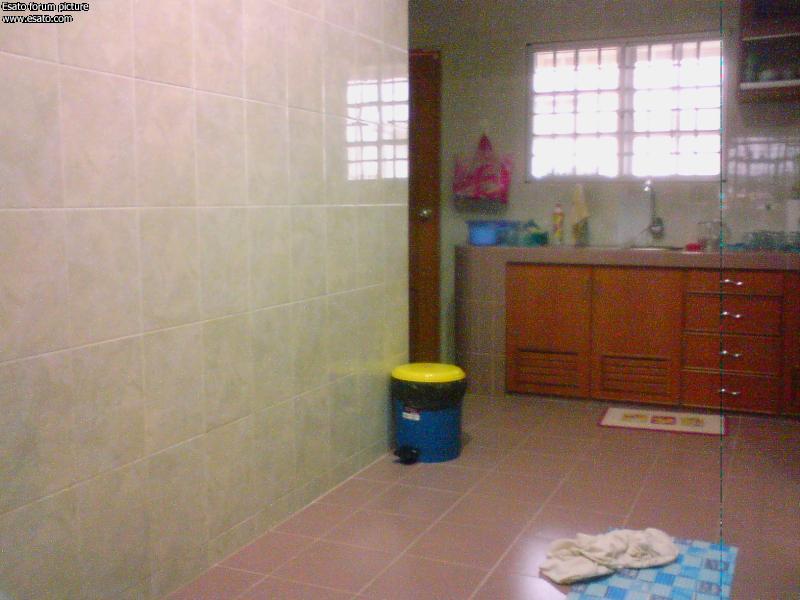
notice that there's a black line at the right side of the picture...
i tried every single ways to solve it...by changing into previous 2.37, 2.36 alpha and final...every single mode such as twilight landscape portrait, macro and infinity mode, with or without solarize effect, and this black line is still there
so anyone can help me solve this problem ? thanks in advance |
kheopstr
Joined: Dec 19, 2007
Posts: 39
PM |
sorry mate this problem is serious one.
some users had this problem. solition is only getting it to servis.
|
number1
Joined: Sep 12, 2007
Posts: > 500
From: UK,kent,Sittingbourne
PM |
the black line seems to be a common problem with some k550i send it to sonyericsson and get the cam module replaced. |
phekwei
Joined: Jan 31, 2008
Posts: 8
PM |
serious problem...oh my god..i'm dead meat this time
do u guys know wat is the cause of this problem ? |
|
|


 Posted: 2008-01-31 13:56


 ) + many other......


