| Author |
w810i problem - help please |
Catalyst
Joined: May 02, 2006
Posts: 66
PM |
Today i got my w810i and when i was up-loading music on to it i got an error message and about 150 out of the 160 tracks i was trying to up-load failed, after this i unplugged my phone from the computer to find that when i turn it on all i get is a screen come up with "select" and "info" there is no other writing on the page although the battery life and signal levels are shown in each corner, if i press for "info" it takes me to a new page which again is blank apart from the option "ok" when pressing ok it returns me to the previous screen. If i press for select it takes me to a blank screen with no other navigation options and the phone makes a beeping noise.
Also, when i just turn the phone on i can press the play/pause button on the side of the phone and music starts to play, once the music is playing i can press the walkman button and it brings up a screen with the walkman logo at the top and then the song and play time information, from here i can view the 10 songs that are on my phone and cycle through them. While on the "walkman" screen i can press the back button and it takes me to another menu where i can look through, "now playing" "artists" "tracks" "playlists" and "videos", when i press to enter any of these areas it takes me to a new page but again i don’t have any writing on them apart from things like "open" or "more" - on the tracks area i can play the other songs that i uploaded but dont show on the phones play list but again i only get the navigation options and no writing with the names of the tracks or anything,
Anyway all i really wanna do is just get back to phone mode or fix this problem, i dont care if i have to reset the phone or anything like that i just want it all back to normal, Hope someone can help
/A desperate man |
|
|
Catalyst
Joined: May 02, 2006
Posts: 66
PM |
On closer inspection I have noticed that my USB port has failed and this must of caused the file transfer to end, unfortunately it appears like my phone has though I unplugged the cable and I have some how removed everything but the audio player part of the phone, I’ve read that this can be fixed by putting all of the files back on to the phone, is this true? And if so how would I go about doing so because I don’t know how I can explain to my mam that my new phone doesn’t work and even worse its an eBay purchase so I have no way to get it swapped for a new one 
/Still a very desperate guy!
|
Del
Joined: Jan 11, 2003
Posts: > 500
From: Kent, UK
PM, WWW
|
You could try going to the SE website and trying a firmware update.
Brought to you straight from the event horizon of a quantum singularity.   |
Catalyst
Joined: May 02, 2006
Posts: 66
PM |
Quote:
|
On 2006-05-10 08:30:50, Del wrote:
You could try going to the SE website and trying a firmware update.
|
|
Where about on there website do i down load the firmware? |
jasond
Joined: Dec 31, 2005
Posts: 408
From: Australia
PM |
Catalyst, a very good question!
It seems that it should perhaps be located here:
http://www.sonyericsson.com/s[....]5_7&zone=ps&lm=ps1_1&pid=10376
But alas. I am sure that using the K750's page would produce the same results for you, considering the software downloads the required firmware files itself:
http://www.sonyericsson.com/s[....]1&pid=10242&fid=21839&esi=true
If I could offer a few thoughts - SEUS may not want to update your phone (however faulty it is) if it has the latest firmware already installed.
A SE Service Centre may be a good option. Or (warranty-voiding) DaVinci
http://www.davinciteam.com/client.zip
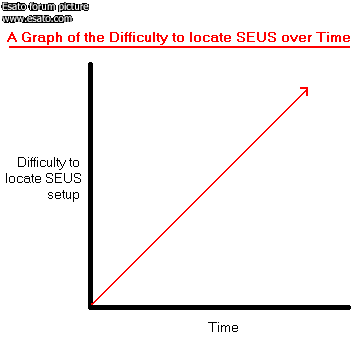
Here is a graph I drew, detailing my thoughts on the situation:
T65> K700i> K750i> K800i> Mars. |
Catalyst
Joined: May 02, 2006
Posts: 66
PM |
well i am at work now but when i get home.... or during my lunch break i might try that to see if it fixes it,
Just a thought but if i copied all my brother d750i files from his phone to my pc and from my pc over the existing files on my w810i would it make it work? or would all the keys/set-ups be for a d750i and not a w810i? |
jasond
Joined: Dec 31, 2005
Posts: 408
From: Australia
PM |
I really wouldn't think so.
The files that have possibly been damaged wouldn't be accessible on the memory stick.
I do recall reading of this problem before, but can't remember what the solution was. I do however suspect reflashing.
T65> K700i> K750i> K800i> Mars. |
Catalyst
Joined: May 02, 2006
Posts: 66
PM |
So if i have to reflash it how would i go about doing it? |
Catalyst
Joined: May 02, 2006
Posts: 66
PM |
Right I have downloaded Davinci and bought the log in details stuff but what do I do next?
<> i get this when i test my cable
Client Version 15.95
**** READING CID STARTED ****
Turn off the phone.
Hold "C" button and plug USB cable.
Phone attached!
Detected SonyEricsson: K750/D750/W800/W550/Z520/Z530.
Error: EaTEbS not recieved!
Flash Loader not accepted! Try to Recover phone before flashing.
Flash Loader not accepted
Execution Time - 00:00:31
Error: 0x005050
anyone able to tell me what the problem is?
[ This Message was edited by: Catalyst on 2006-05-10 19:36 ] |
Catalyst
Joined: May 02, 2006
Posts: 66
PM |
I gave up with davinci because it just confused me, but on an up side i contacted the person i bought it from and they are mailing me out the receipt today and have given me the details for my local Sony repair centre ^_^
Does anyone know how much a repair will cost or will i be covered by the Sony warranty?
|
jepherberich
Joined: Apr 25, 2006
Posts: 473
PM, WWW
|
Catalyst: use client version 15.94
i had the same problem, googled around and found this
here's my log:
Client Version 15.94
**** READING CID STARTED ****
Turn off the phone.
Hold "C" button and plug USB cable.
Phone attached!
Detected SonyEricsson: K750/D750/W800/W550/Z520/Z530.
CsLoader Accepted Ok!
Status Ok, OTP Close, CID49, PAF1
IMEI: XXXXXX-XX-XXXXXX
Phone CID 49, Color RED
You must use CID49 Flash Files For this phone!
Press button - "Get Files From Web" and download free firmware
Execution Time - 00:00:05
Done!
|
cellcorner
Joined: Jan 28, 2006
Posts: 24
PM, WWW
|
Don't use Davinci, it's a buggy software and doesn't support new phones.
You can use this instead, 100% support for W810 and new sonyericsson models
http://www.cellcorner.com/xsh[....]erver-unlock-flash-credit.html
|
|
|


 Posted: 2006-05-10 00:49


