Esato

Forum > Sony Ericsson > Symbian phones > Change icons on G900

Previous  1, 2, 3, 4, 5, 6
Author Change icons on G900
icegamen
Joined: Jul 07, 2009
Posts: 3
PM
Posted: 2009-07-09 19:14
Reply with quoteEdit/Delete This PostPrint this post
@HarryGR

Thank you very, very much!!!
Delphir
Joined: Jul 22, 2009
Posts: 1
PM
Posted: 2009-07-22 12:56
Reply with quoteEdit/Delete This PostPrint this post
Hi everyone!

I have this phone with the latest firmware. Unfortunately CapsSwitch does not work on it. How can I get access to the system folders?
HarryGR
Joined: Oct 23, 2008
Posts: 10
From: Greece
PM
Posted: 2009-07-23 17:41
Reply with quoteEdit/Delete This PostPrint this post
First set CapsSwitch to OFF. (CapsSwitch works fine on G900)
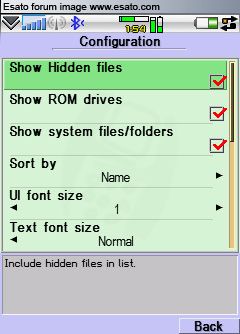
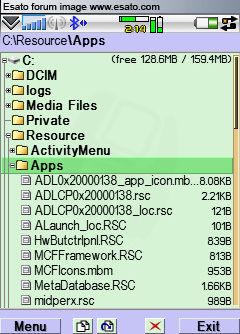
X-Plore: Menu -> Tools -> Configuration and tick 'Show ROM drives', 'Show system files/folders'.
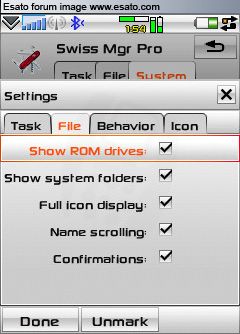
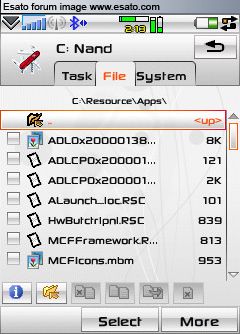
Swiss Manager: Settings -> File and tick 'Show ROM drives', 'Show system folders'.
phant0m385
Joined: Sep 10, 2009
Posts: 7
PM
Posted: 2009-11-01 00:26
Reply with quoteEdit/Delete This PostPrint this post
can anybody please explain to me how to restore the original font in my g900 ? i downloaded this status bar with font package... and it changed them to something i didnt really like ... and i cant seem to delete the font folder in the Resource folder ....
Access the forum with a mobile phone via esato.mobi
Previous  1, 2, 3, 4, 5, 6
Lock this Topic Move this Topic Delete this Topic